My Review of 10 Meeting Room Booking Software Options
I’ve worked remotely for the better part of eight years now. That means I haven’t sat at the same desk every day, booked the same room every Tuesday, or built up the kind of muscle-memory frustration that comes from using one system five days a week.
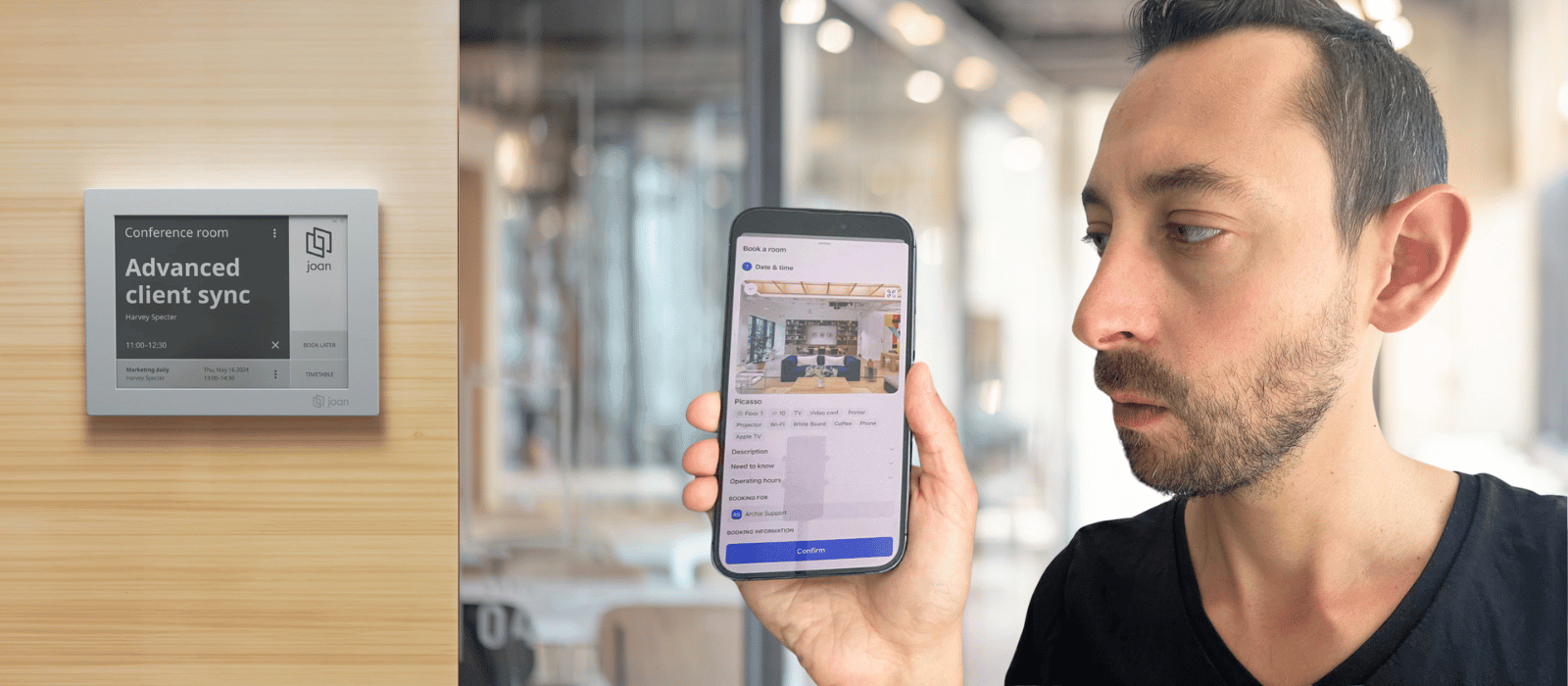
What I have done is bounce between coworking spaces and offices constantly, which, it turns out, is its own kind of education. I’ve booked rooms on tablets bolted to walls and on apps I had to install for a single meeting. I’ve seen interfaces that are designed beautifully and some that seem to have taken their inspiration from Microsoft’s earliest iterations (no shade intended).
One story before the comparison, because it’s the reason I think this topic matters more than people assume:
Meeting room software is near-invisible when it works and infuriating when it doesn’t, and that gap is exactly what this comparison is trying to measure.
I’ll cover the methodology first, but feel free to scroll down to go straight to the verdicts.
Methodology and comparison table
I evaluated each tool on five things:
Here’s a quick-glance table, and I go into more of the user-experience details separately.
| Tool | Pricing | Display options | Kiosk | Notable edge |
|---|---|---|---|---|
 Archie Archie |
$8 per room/month | Tablet, phone, Teams, room displays | Yes | Predictable cost as you scale, no hardware lock-in |
 Robin Robin |
Custom, quote-based | iPad-only lobby/room hardware | Limited | Enterprise automation |
 Envoy Envoy |
$60 per resource/year + usage fee | iPad-only for visitor/lobby | Yes | Polished UX |
 OfficeSpace OfficeSpace |
Custom, quote-based | Tablet, AI-driven planning tools | Yes | Strategic space planning depth, heavy setup |
 Eptura Eptura |
Quote-based, per user | Tablet, legacy hardware support | Yes | Enterprise pedigree, post-rebrand friction |
 Skedda Skedda |
Flat tiered $99 / $149 / $199 monthly | Tablet, calendar sync | Limited | Simple pricing, features gated behind tiers |
 Deskbird Deskbird |
From $3.75 per user/month | Tablet, mobile-first | Add-on | Fast, well-liked UI; room tools cost extra |
 Yarooms Yarooms |
Starter $99–$199/mo, Business $399–$699/mo, Enterprise from $899/mo | Tablet, Teams-native | Yes | Strong Teams integration |
 Joan Joan |
From $1.15/user/mo + $11.65/device/mo | E Ink, Android/iOS | No | Elegant hardware, real cost over time |
 Officely Officely |
$12 per space/month | Android/iOS | Limited | Slack integration |
Tablets vs. E Ink displays
E-ink room panels are genuinely clever from an installation standpoint. No wiring required, since they run on battery, and they sip power slowly enough that you’re not charging them constantly. That’s a real advantage for retrofitting an older building. But from the person standing outside the room trying to book it, E Ink is a compromise: dim, low-contrast, slow to refresh, and short on the kind of visual detail that a bright tablet display gives you instantly. Vendors will sell you the installation ease. I’m reviewing the experience of using the thing, and on that front, a proper tablet wins.
Kiosk mode
This matters more than people expect once an office crosses a certain size, or has a lot of occasional visitors — people without the company app installed. A big kiosk screen showing the whole floor plan, where you can just walk up and book, is the smoothest experience for that kind of user. I haven’t personally worked somewhere large enough to need one daily, but I’ve watched it solve a real problem in bigger offices, so I’m flagging which tools offer it and which don’t.
Coworking spaces
This piece is about meeting rooms, not coworking spaces, but I’ve worked a lot in these places. And to mention one thing I’ve run into on the coworking side: some of these platforms also support credit- or payment-based booking, where you pay per reservation instead of having unlimited access. That’s not a normal corporate use case, so it’s not in the table. But if you’re subletting part of your office, or running a hybrid arrangement where an external team pays to use your rooms, it’s worth knowing which tools can actually handle that billing model, because most can’t.
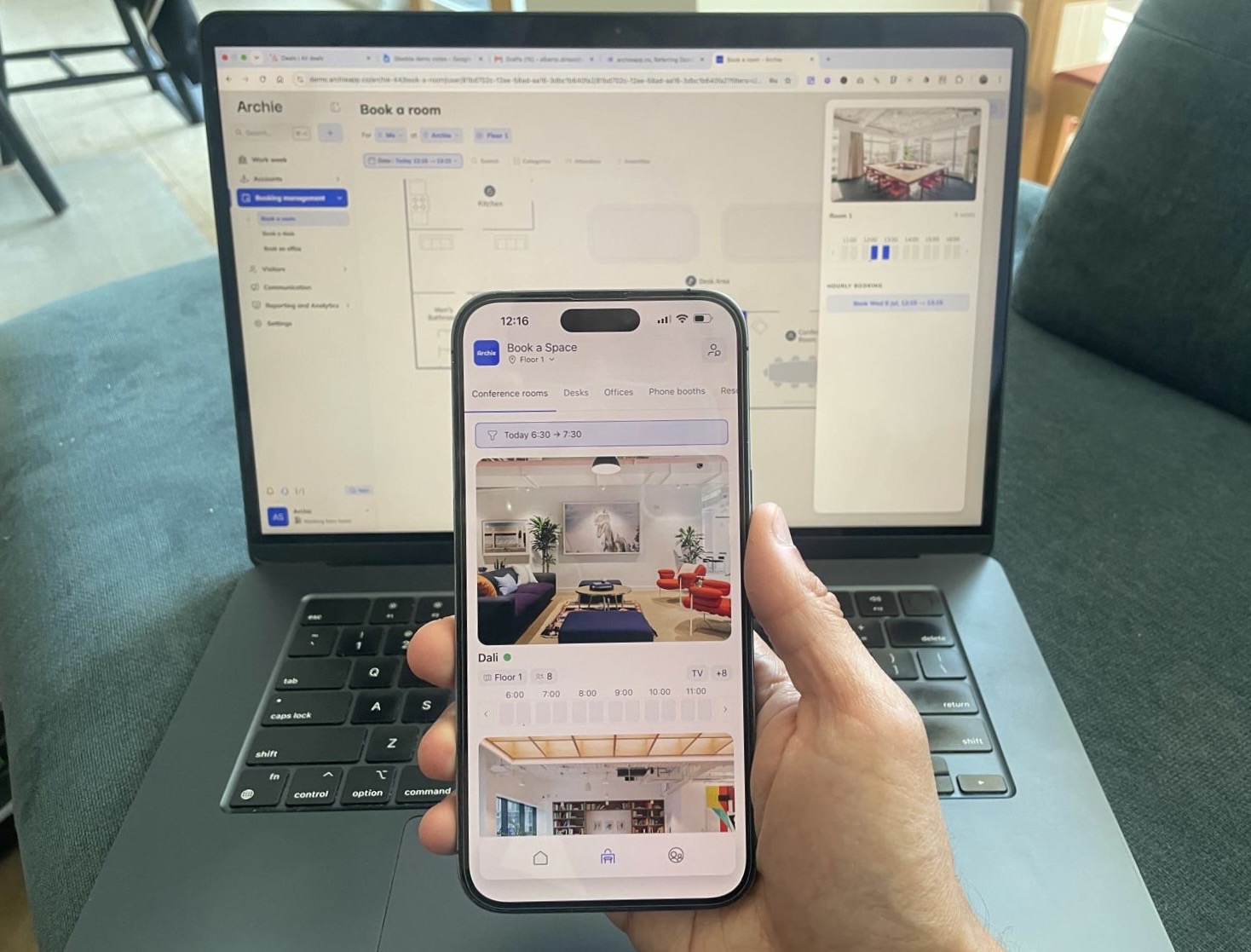
Me testing booking a meeting room on mobile and on desktop, from a list view and from a floor plan. These are just two of many ways rooms can be reserved in modern systems.
Archie
I don’t want to blow your mind, but for obvious reason I am listing here Archie as the best option for most offices. I use it, so take that as informed rather than neutral. What I believe stands out is not a specific feature but the all-round experience. The booking experience adapts to how you actually work, the user-interface is attractive and intuitive, and the pricing is predictable with a straightforward structure.
Features deep-dive
- Book from an interactive floor plan showing real-time room status, capacity, and equipment
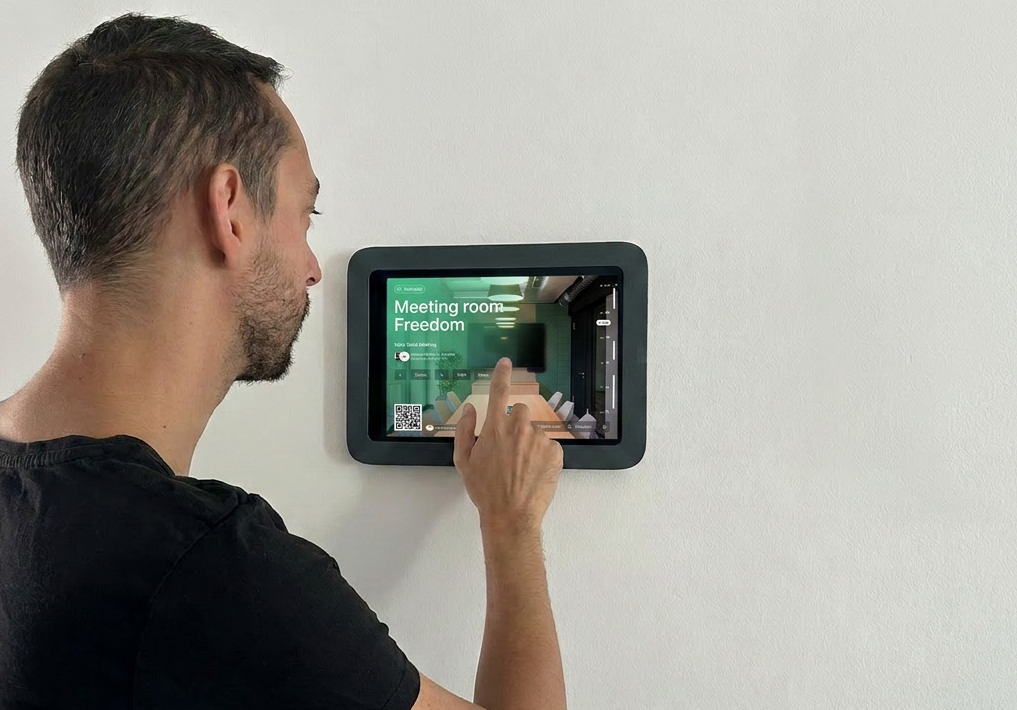
- Book from the floor plan, mobile app (iOS and Android), kiosk, room-mounted tablet, or directly inside Microsoft Teams
- Google Calendar and Outlook integration with two-way sync
- Auto-release for no-shows, so an unclaimed room frees itself back up instead of sitting empty but blocked from others booking
- Booking rules, approvals, and buffer times built into the core plan, not gated behind a higher tier
- Kiosk mode for walk-up booking, useful for large offices with occasional users who need a little extra help navigating
- Runs on both iPad and Android hardware — no forced hardware purchase
Google Calendar integration deserves a specific mention because I’ve used it directly, across different workspaces, and it’s held up. Booking through Google Calendar and having it reflect instantly on the room’s own display is the kind of thing that sounds unremarkable until you’ve used a tool where it doesn’t work reliably — and I have. Sync delays and double-booking ghosts are a recurring complaint elsewhere in this list.
Pricing
Most competitors here charge per user, so your cost climbs every time you hire someone, even though hybrid offices by definition have fewer desks and rooms than people. You’re also at risk of fluctuation, depending on how much your headcount is subject to change.
Archie prices per resource. For a hybrid office where 300 employees might share 20 rooms, that’s a materially different bill than a per-user model would produce.
- Starter — $8 per room/month
- Pro — $12 per room/month
- Enterprise — Custom
On the admin side — briefly, since that’s not the focus here — Archie also handles auto-release for no-shows, booking rules, and analytics without needing a paid add-on to unlock them. Some competitors gate that behind higher tiers.
Archie also covers desk booking and visitor management; it’s my understanding that this is very easy to include within your plan.
Verdict
Who it’s for
An excellent choice for the majority of modern offices. For the everyday experience of booking a room without friction, I haven’t found anything I like using more. It sits in the sweet spot between overcomplicated and simplistic, and it’s a strong fit for teams that want room booking, desk booking, and visitor management under one roof instead of three separate vendors.
Who it’s not for
If your primary need is long-range forecasting and strategic analytics, Archie’s reporting is currently lighter than dedicated tools like OfficeSpace. That’s the honest gap, and worth knowing going in.
Robin
Robin is built for large, enterprise organizations, and its depth makes it a fit for offices that will actually use all the features. It supports automatic check-ins, workplace analytics pulling from occupancy sensors and access control, and a genuinely polished interface. Auto-cancel for ghost meetings is, like Archie, a very useful touch.
Features deep-dive
- Automatic check-ins via mobile, network detection, or occupancy sensors
- Desk and room booking with auto-cancel for ghost meetings — reclaims rooms nobody actually showed up to
- Workplace analytics pulling from bookings, access control, and sensor data
- Deep integrations: Google Workspace, Microsoft 365, Slack, Teams, access control, sensor partners
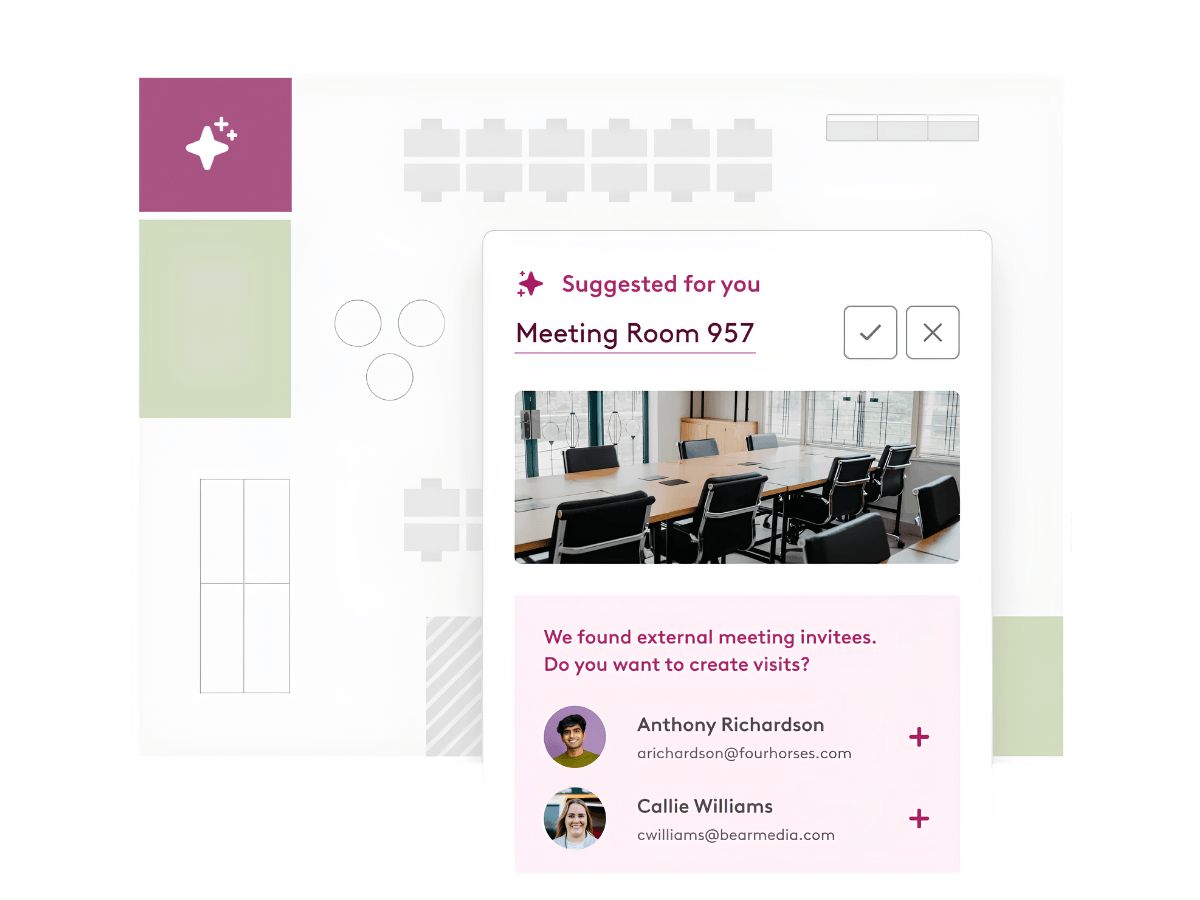
The workplace configurations and analytics are Robin’s biggest competitive advantage. If you need to get granular with occupancy data and presenting fine-tuned analytics is a management must, Robin will have what you need. Likewise, if you have intricate rules and want the settings to play exactly into your rubric, Robin is designed for the enterprise-style deployment that demands that kind of depth. The downside is, those who aren’t in need of that level of complexity and data still have to pay the (literal) price.
Pricing
Custom, quote-based — no public pricing anywhere on their site. Anecdotally, I spoke to one customer who confirmed that their 200-user deployment put them at about $14,000 annually. I don’t know the specifics beyond that, so contact their sales team for details relevant to your usage.
Verdict
Who it’s for
Large, enterprise organizations with dedicated facilities or IT teams who need deep automation and don’t mind an opaque, sales-led buying process.
Who it’s not for
Smaller or mid-market hybrid offices. The pricing model is per-user on top of enterprise minimums, and floor plan edits often require Robin’s own team to execute.
Envoy
Envoy’s core strength is polish: the check-in and booking experience is clean, and it doesn’t feel like enterprise software wearing a corporate mask. I’m a genuine fan of the look and feel of Envoy. The problem is what that polish costs.
Features deep-dive
- Desk and room booking with interactive maps, occupancy insights, and auto-release
- Emergency messaging and security/compliance tools: blocklists, NDAs, audit logs
- Deep enterprise integrations: identity systems, access control, HR platforms, WiFi (many only on the highest tier)
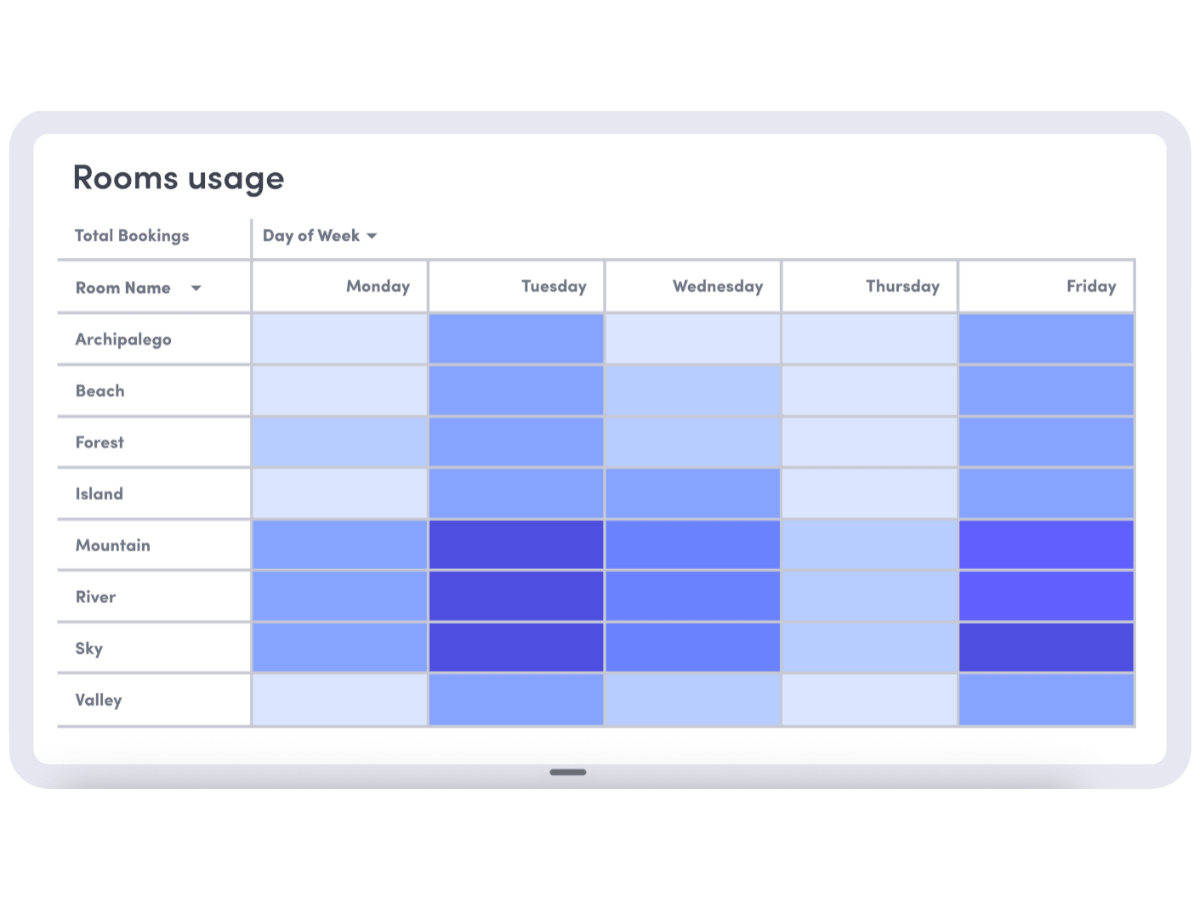
Envoy’s interface is at once sophisticated and intuitive; out of everything I looked into, this is one of the ones that stuck out, and reviews consistently mention how seamless it is for users. One thing to touch on, though, is that it seems inflexible on the admin side. I had a good look through G2 and Capterra reviews, and there were recurring complaints about Envoy’s inflexibility — when offices needed to make changes after setup (even employee name changes after they got married) it was difficult or even impossible to customize.
Pricing
- Envoy Workplace starts at $60 annually per bookable resource
- A platform usage fee on top — custom per user, figures not publicized
- Guest WiFi reportedly an additional ~$5,000/year
Worth noting: I found different prices in different places. It seems their price has fluctuated a fair amount recently, so take that into consideration when doing your own research.
Verdict
Who it’s for
Offices that want a genuinely polished check-in and booking experience and have the budget to match — particularly ones already invested in Envoy’s broader security and compliance stack.
Who it’s not for
Cost-conscious hybrid offices subject to change, or anyone on a lower tier package. If your RTO policy might shift, expect it to be a little clunky to reconfigure in Envoy.
OfficeSpace
OfficeSpace has repositioned itself hard around AI-driven space planning, and truly seems to be top of the game in that regard. I also have heard excellent things about their customer service team. That said, from my own experience I find the check-in process to be slow when booking on mobile.
Features deep-dive
- Rich desk and room booking with neighborhoods and live presence data
- AI-powered features: Workplace Experience Agent, Space Planning Agent, Insights Agent
- Strategic space planning tools built for real estate and facilities teams
- New Asset Management module: tracking, depreciation, warranty, work orders, maintenance
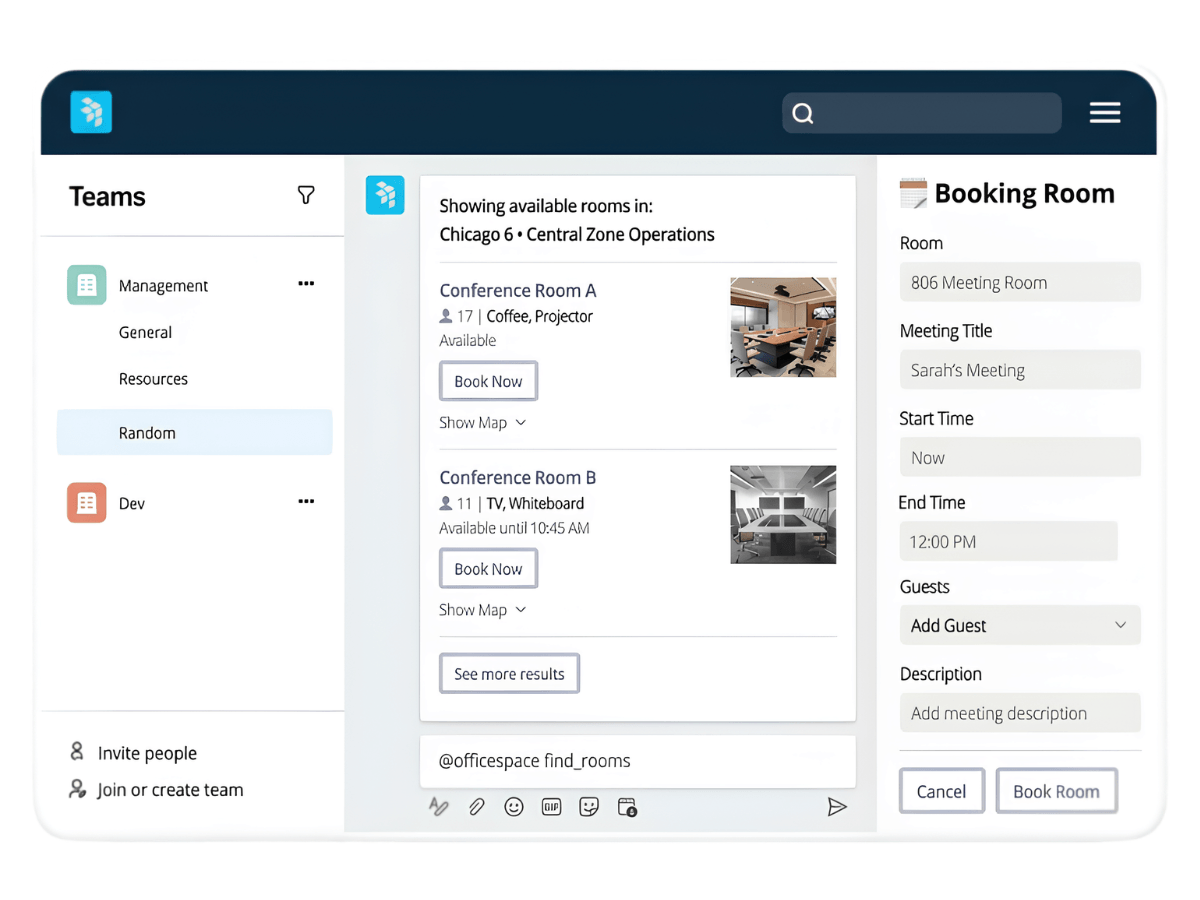
Something users consistently praise is OfficeSpace’s comprehensive functionality. Setting up and altering the space to directly reflect your office seems to be fast and pain-free.
Pricing
- Based on user count, starting at $60 per user annually
- Setup and per-floor charges apply; details aren’t publicly available
- Two packages: Essential Plus and Pro Plus, differing on usage analytics and AI sophistication
Verdict
Who it’s for
Larger organizations with a real estate or workplace strategy function that needs space planning and forecasting tools, not just day-to-day booking.
Who it’s not for
Offices prioritizing their end users. All that planning depth can come at the expense of the day-to-day experience, and there are alternatives that offer a much better user experience.
Eptura Engage
In 2025, Condeco was acquired and is now Eptura Engage. It has true enterprise credibility, and is built for complex, massive enterprises requiring extensive IWMS integration.
Features deep-dive
- Desk and room booking with legacy enterprise depth
- Visitor management and access control integrations
- Enterprise workplace tools built for large, multi-office organizations
- Tooling assumes dedicated IT and facilities staff behind it
- Strong Microsoft Teams integration
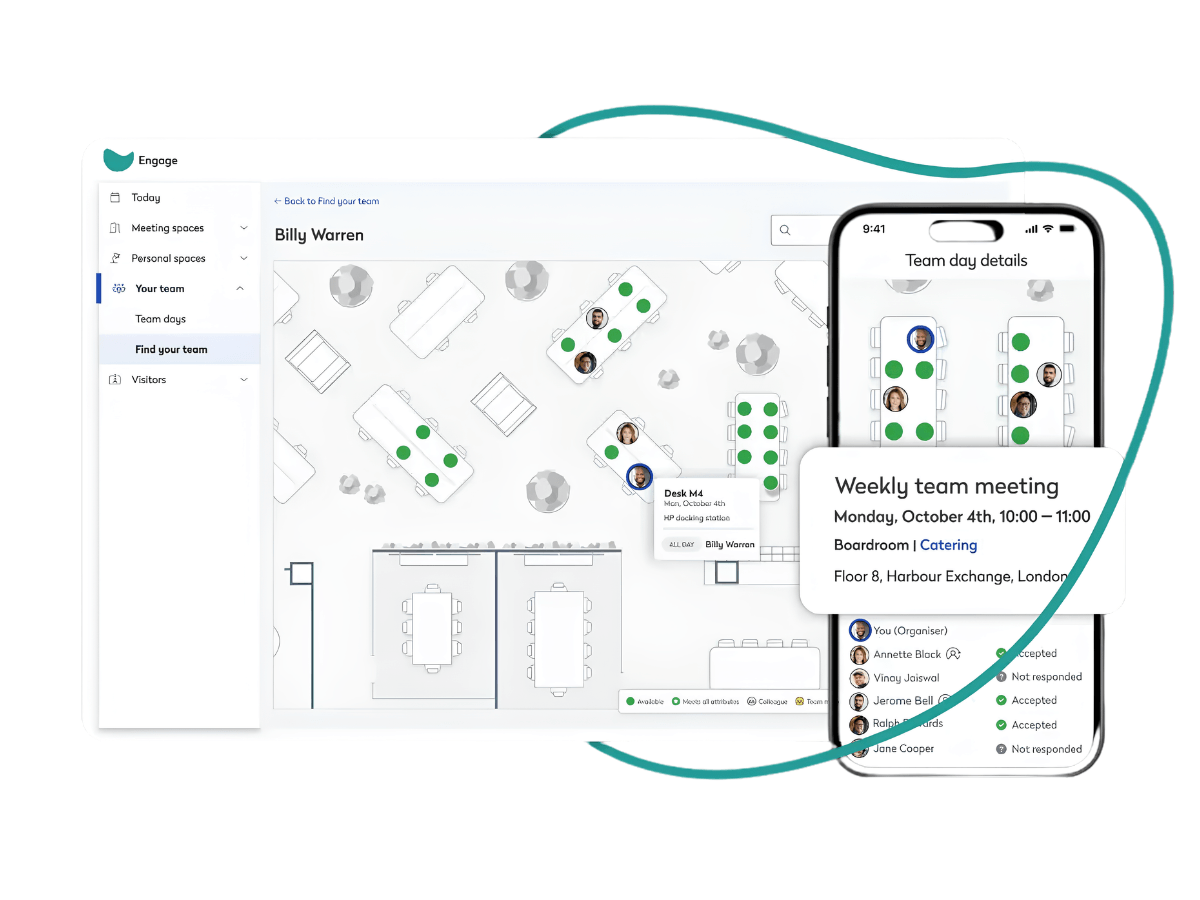
Eptura Engage is positioned for businesses that want to go all in on the software. If you’re an enterprise that wants visitor management, desk booking, room scheduling, asset tracking, and service requests all under one roof, Eptura handles several workplaces at once. The drawback with a complexity level so high is that you’ll likely need your IT department involved with implementation and maintenance — probably not a dealbreaker for larger companies, but medium or small teams won’t have the capacity. Users appreciate the Microsoft Teams synchronization, yet the word “clunky” comes up more than once in the reviews.
Pricing
- Quote-based, no public pricing
- Priced per user, per year
- Implementation billed separately
Verdict
Who it’s for
Large, multi-office enterprises already inside the Eptura ecosystem.
Who it’s not for
Anyone who prioritizes a modern feel and flow. The rebrand hasn’t fully settled — customer support in particular seems to have taken a hit — and the platform assumes a level of dedicated IT infrastructure most companies don’t have.
Skedda
Skedda’s pitch is refreshingly simple compared to most of this list: flat, tiered pricing instead of per-user or per-resource math, with support reviewers consistently call excellent.
Features deep-dive
- Clean desk and room booking interface
- Booking rules and customization options
- Core calendar sync
- Advanced features — assigned desks, custom branding, required check-ins — gated to higher tiers
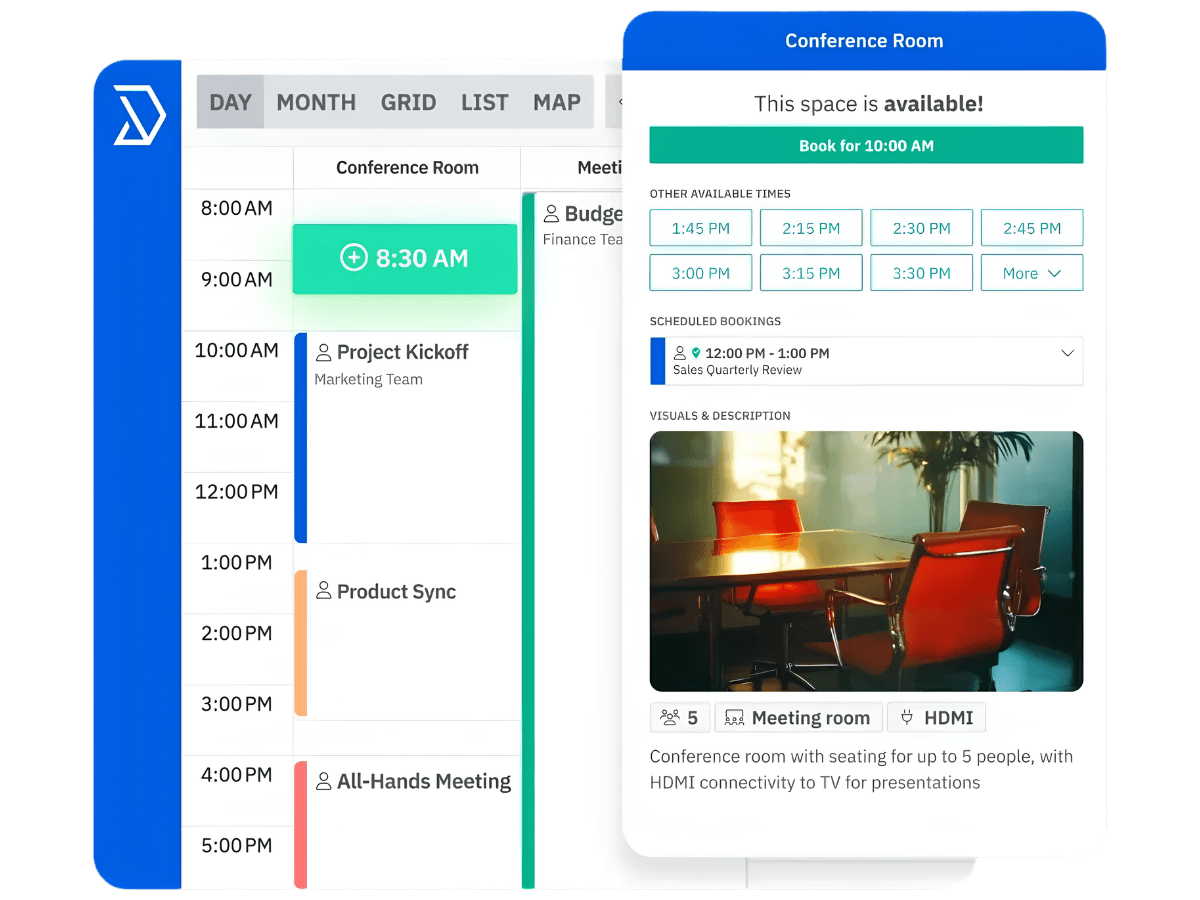
Skedda covers the core functionality of a meeting room booking tool without overpromising anywhere on its features. Day-to-day use is relatively straightforward. That said, Skedda falls short on some simple customizations — cancellations are hard to manage, and there’s no way to make multiple bookings at once.
Pricing
Flat, tiered monthly pricing — approximately $99, $149, and $199/month — not per-user or per-resource. Every bookable resource (desk, room, locker, parking spot) counts equally toward the space limit for your tier, so larger spaces automatically jump to a higher tier.
Verdict
Who it’s for
Small, simple offices that want an easy, predictable rollout and don’t need advanced booking rules or branding on day one.
Who it’s not for
Growing offices with more specific needs. Costs rise quickly as you add resources, yet the functionality doesn’t quite match up to most of the others on this list.
Deskbird
I’ve come across Deskbird mostly through research rather than direct use, and the consistent theme across reviews is speed — booking reportedly takes very few clicks, and the interface is repeatedly praised as intuitive. Deskbird is positioned as a hybrid office product, so I think it’s really only an option for those wanting to tie meeting room booking definitively with desk booking.
Features deep-dive
- Desk booking, interactive floor plans, mobile-first design
- Microsoft Teams, Slack, and Outlook integrations
- User group management by location or role
- Visitor management and advanced user management available as paid add-ons
Pricing
Business plan starts at €2.75 (~$3.75)/user/month, billed annually. Professional and Enterprise tiers are custom-priced.
While the standard pricing is fair, quite a few features are gated in the higher tiers — like advanced booking rules and analytics — which might make the lower tier feel incomplete to those looking for a fuller room-booking system from the outset. And because the cost at those tiers is undisclosed, it’s tough to offer a fair comparison.
Verdict
Who it’s for
Hybrid teams that want a fast, well-liked interface and are comfortable adding modules as needed.
Who it’s not for
Anyone looking for meeting room booking software without desk booking tied in. Advanced room booking tools are an add-on, so you’d likely be pushed to a higher tier.
Yarooms
Yarooms leans hard into Microsoft Teams. You can genuinely book and manage rooms without leaving the Teams interface, which reviewers consistently call a standout.
Features deep-dive
- Desk and room booking with interactive floor plans
- Yarvis AI assistant (Business plan and above)
- Full Microsoft Teams booking integration — no need to leave the app
- Analytics on Business plan and above
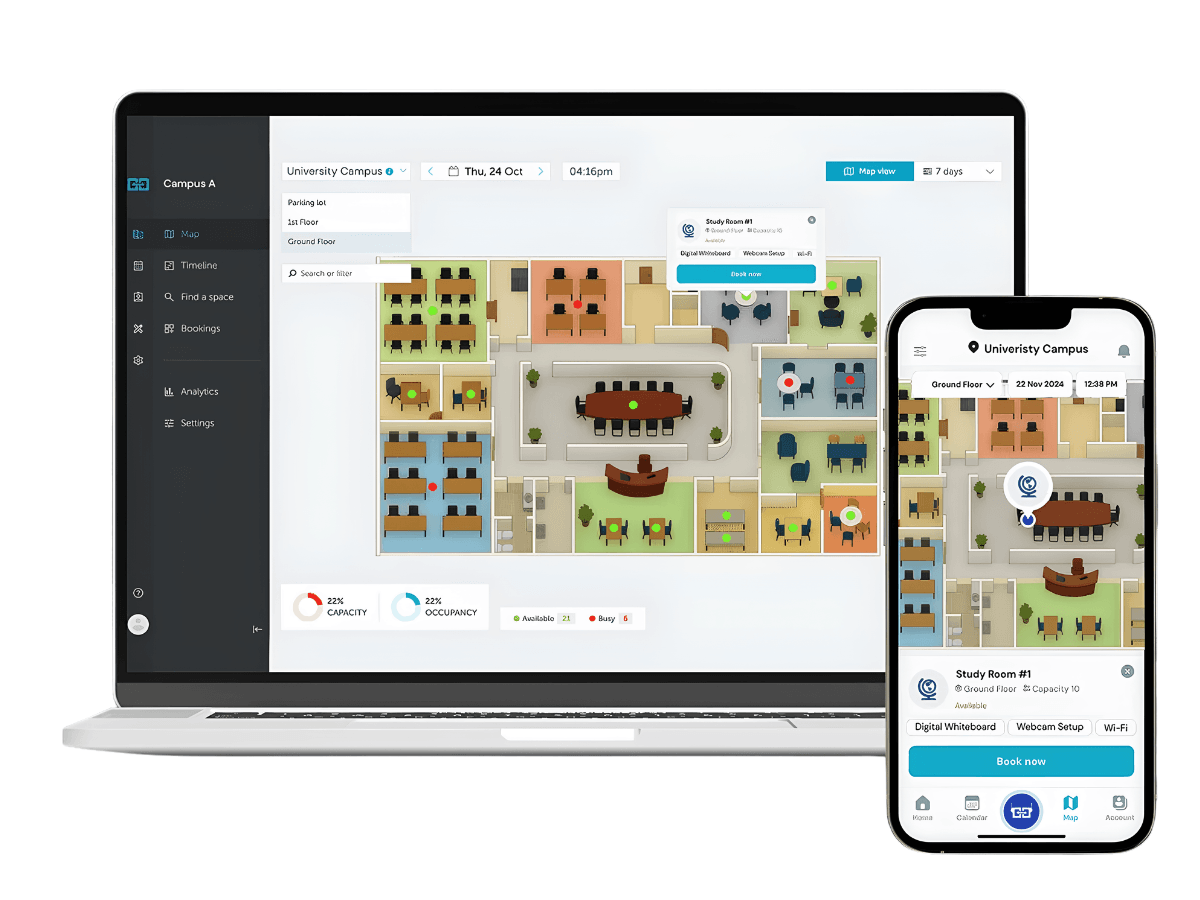
If your employees live and breathe Teams, Yarooms is well worth looking into as the easiest way for them to find and book meeting rooms on their laptop. That said, Yarooms’ mobile offering seems slim and unreliable, with reviewers pointing to a clunky app experience and missing features compared to the desktop version. That’s a considerable disadvantage if you want to give employees an easy way to grab a room on the go without pulling out a laptop. Personally, that’s a huge issue.
Pricing
- Starter (single location) — $99/mo up to 10 users, $199/mo up to 20
- Business (up to 2 locations) — $399/mo up to 50 users, $499/mo up to 100, $699/mo up to 200
- Enterprise (unlimited locations) — from $899/mo up to 300, custom beyond that
- Visitor management is a separate add-on at $99/month/location, regardless of tier
Verdict
Who it’s for
Offices already living inside Microsoft Teams that want room booking to feel native to that workflow.
Who it’s not for
Offices that want strong mobile booking. The reviews show this is a critical limitation, and for some spaces that makes Yarooms non-viable.
Joan
Joan is worth including specifically because of the E Ink point I raised earlier — it’s the company that built its identity around those elegant e-paper room panels, and the design praise is deserved. No wiring, decent battery life, a clean aesthetic that looks sleeker on a wall than most tablets do.
Features deep-dive
- E-paper (E Ink) room display hardware — Joan’s signature differentiator
- Desk and room booking with a management portal
- Runs on Android/iOS, though non-Joan hardware only supports basic display functionality
- No wiring required for E Ink panels (battery-powered installation)
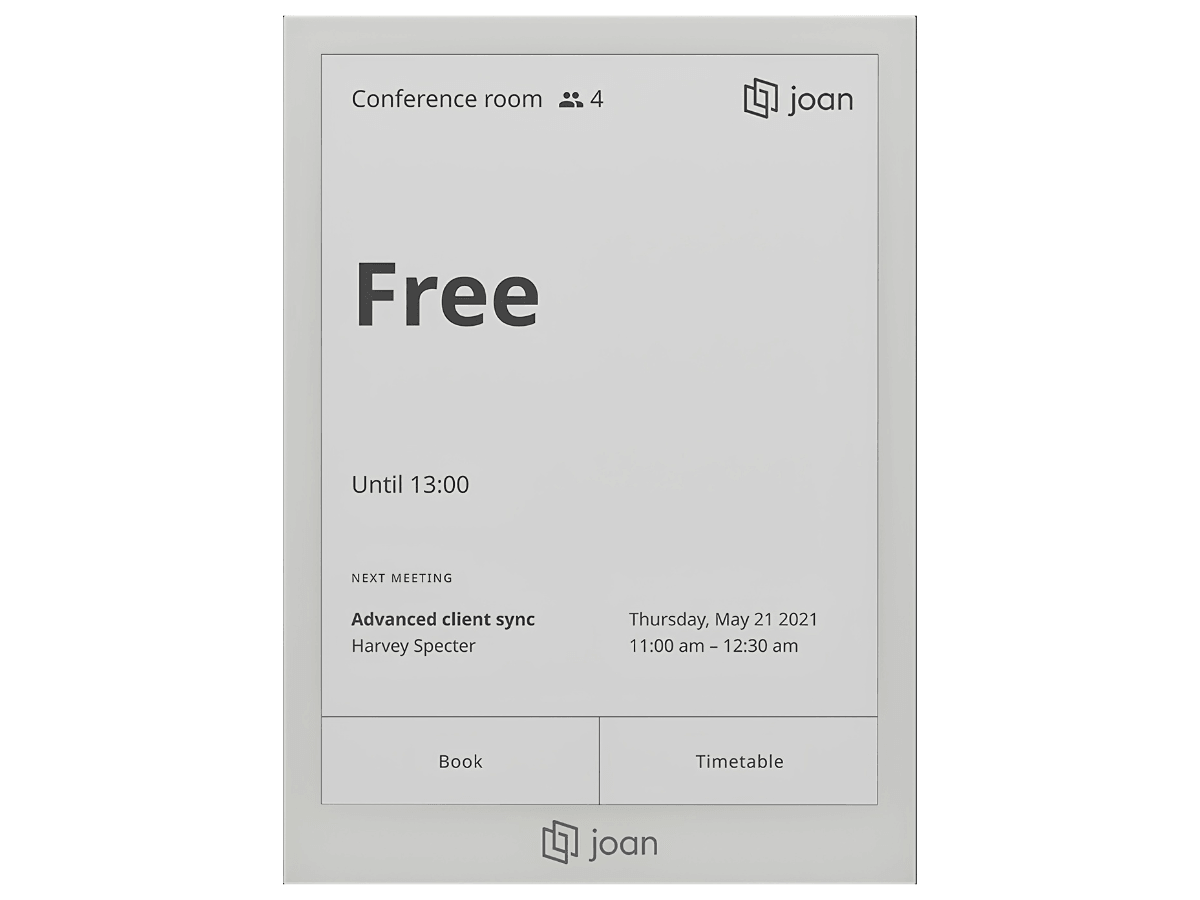
Joan seems to really split opinions. For those who like the hardware display, they really like it: the simple magnetic display mounts, adding your logo to the screen, and so on — it fits an office that wants that design. But I also see reports of the other side of that hardware tradeoff. Battery life runs shorter than advertised in practice — reviewers cite roughly 40 to 50 days — which means someone’s regularly pulling panels off walls to recharge them. The display is a little dim for some, and the navigation can be tricky.
Pricing
Dual model — users plus devices. Users from €0.99 (~$1.15)/user/month; devices from €9.99 (~$11.65)/device/month. Bundles: Team at €49 (~$57) for 2 devices/20 users; Business at €219 (~$255) for 5 devices/50 users; Organization at €499 (~$580) for 10 devices/100 users; Enterprise+ at €999 (~$1,165) for 20 devices/200 users with unlimited scaling.
Verdict
Who it’s for
Offices in older buildings where wiring genuinely isn’t practical, and where the aesthetic of e-paper displays matters.
Who it’s not for
Anyone prioritizing the booking experience itself. Battery life runs shorter than advertised, displays are dim and low-detail next to a real tablet, and hardware cost compounds the subscription faster than it first appears.
Officely
I hadn’t spent much time with Officely before researching this piece, and it stands apart from most of this list in a specific way: it’s not trying to be a workplace app you open. It’s trying to disappear into Slack or Microsoft Teams, so booking a room feels like sending a message rather than logging into separate software.
Features deep-dive
- Book rooms directly inside Slack or Microsoft Teams — no separate app to open
- See room availability at a glance, filtered to your meeting time
- One-click booking, with the option to invite teammates or guests immediately after
- Custom availability windows to control when a room can and can’t be booked
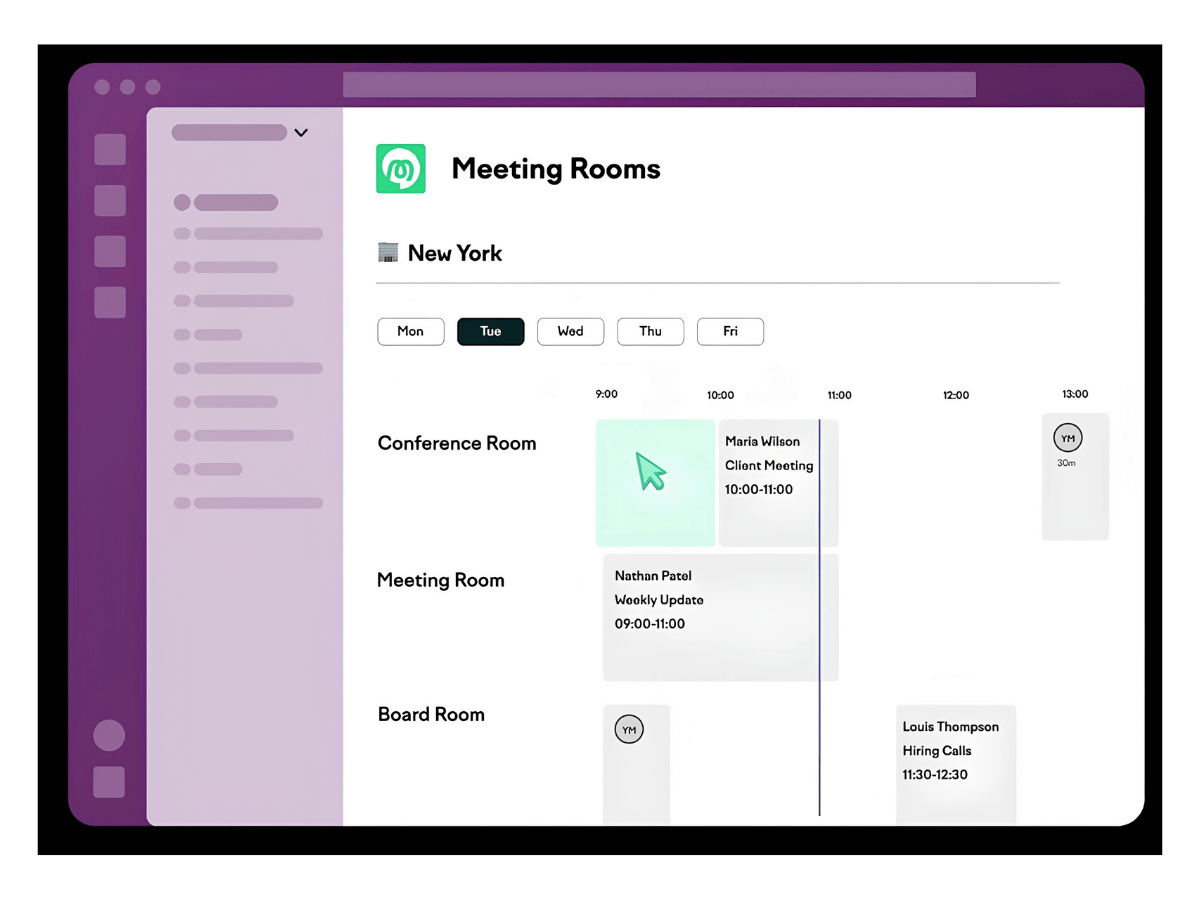
From the admin side, this is light — there’s no admin dashboard or analytics, it’s a bit “what you see is what you get.” From a user perspective that’s not necessarily negative, though many offices want more detail to make sure their space is actually being used. Some users dislike the product because they find the experience a little overrun with emojis; I can’t say I feel strongly either way, but the Officely experience would probably suit a startup environment and feel over a corporate look.
Pricing
Meeting room booking is priced at $12 per space/month, with unlimited users. Monthly or annual billing is available. As a growing or fluctuating headcount doesn’t push your bill up the way it does with most other tools on this list, I like the pricing structure here.
Verdict
Who it’s for
Slack-first companies, especially smaller teams, that want booking to live inside a tool people already have open all day rather than adding a new one.
Who it’s not for
Larger organizations that need deep analytics or interactive floor plans — those live outside Officely’s scope entirely rather than as an add-on. Also worth flagging if your company is Teams-first rather than Slack-first: reviewers consistently describe the Teams experience as less complete, with some features simply missing.
Where that leaves you
Ten tools in, a few patterns hold up across almost all of them. There’s not a “right answer” but rather a right decision-making process. Some things you should decide on before going in:
- Price per user vs. price per resource
- Enterprise depth vs. everyday usability
- Mobile vs. desktop
For most offices, the tool I think is the most well-balanced — considering price, feature depth, and admin and user experience — is Archie. However, not every person reading this will have the same priorities. None of these are wrong answers for the right office, but I hope if nothing else that these comparisons and breakdowns will help reduce your shortlist.
This comparison was researched to the best of my knowledge throughout June 2026, drawing on hands-on use, vendor documentation, and user reviews on sites like G2 and Capterra. Pricing and features change, so treat the figures here as a starting point for your own research rather than the final word — always confirm directly with the vendor before deciding.
In the interest of full transparency: I currently lead marketing at Archie. I’ve done my best to make this comparison as fair and unbiased as possible, and I genuinely believe it’s useful regardless of where you land — but I think it’s important you know that relationship going in, so you can weigh my take on Archie accordingly.
A big thank-you to Grace Cartwright, whose editing made a real difference to how this reads — the kind of clarity and pleasantness I might have overlooked on my own. 🙂